AI voice notes app for iPhone

Talk. Jot writes it down.

Record any thought — Jot AI transcribes it, cleans it up, summarizes it, and files it. Rambling becomes readable notes, problems become plans, ideas become docs, and your days become a journal.
One-tap capture AI cleans & files it Voice journal built in
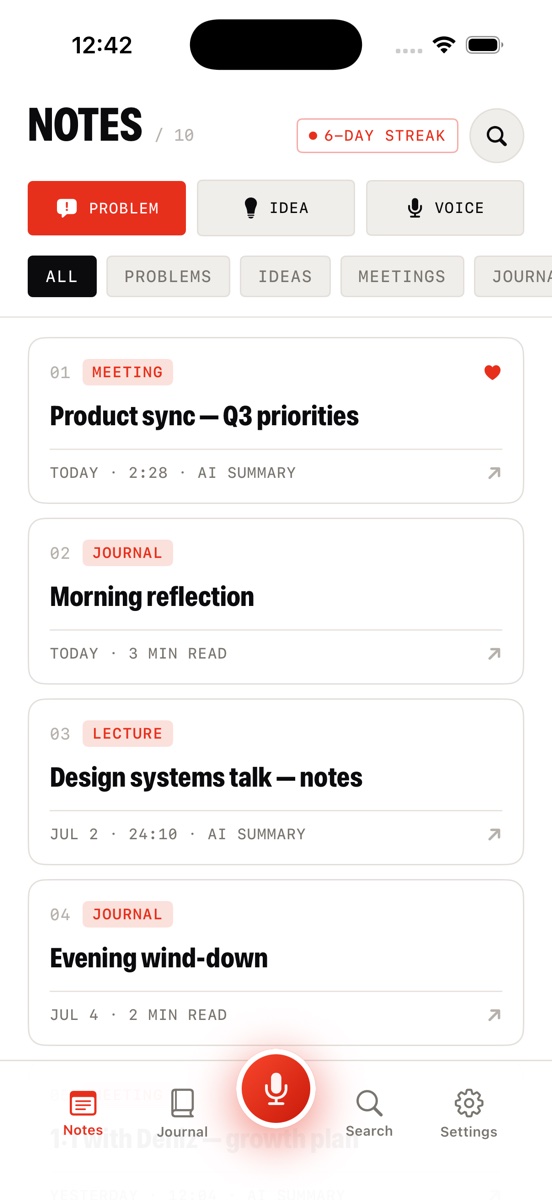
AI SUMMARY Jot AI voice notes app home screen with Problem, Idea and Voice capture buttons, a 6-day streak, and AI-summarized note cards
How it works

From ramble to filed note in seconds

No typing, no formatting, no folders to think about. You talk; the system does the clerical work.

STEP 01

Talk

Tap the red mic — from the app or the home-screen widget — and say whatever's in your head. Meetings, ideas, worries, your day. Live waveform, pause anytime.

INPUTYOUR VOICE
STEP 02

AI structures it

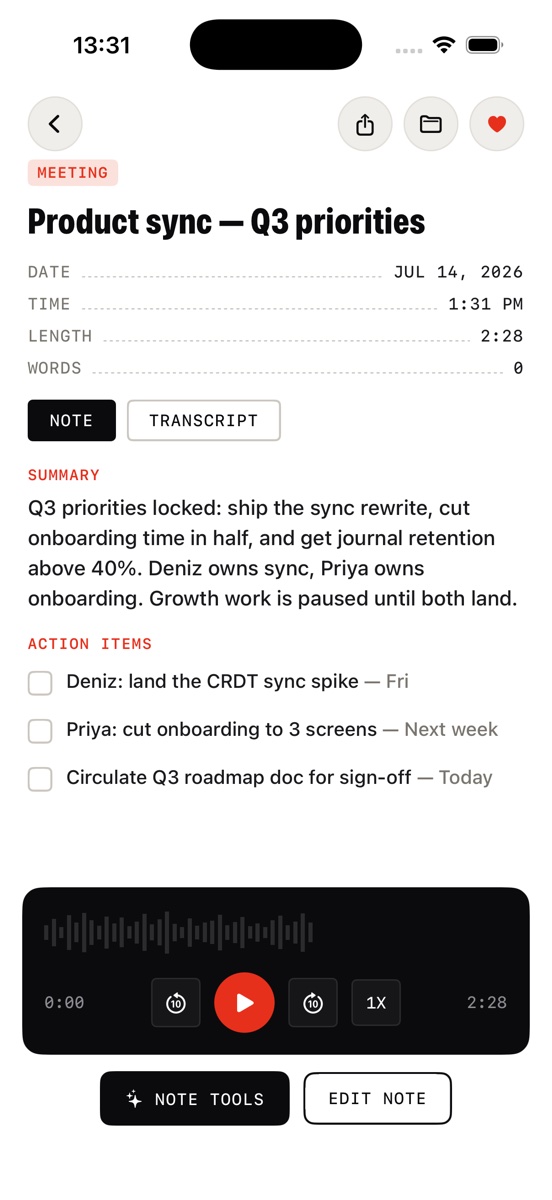
Jot transcribes the recording, then rewrites it into a clean note: title, summary, structured sections. The raw transcript stays one toggle away.

OUTPUTCLEAN NOTE
STEP 03

Filed & searchable

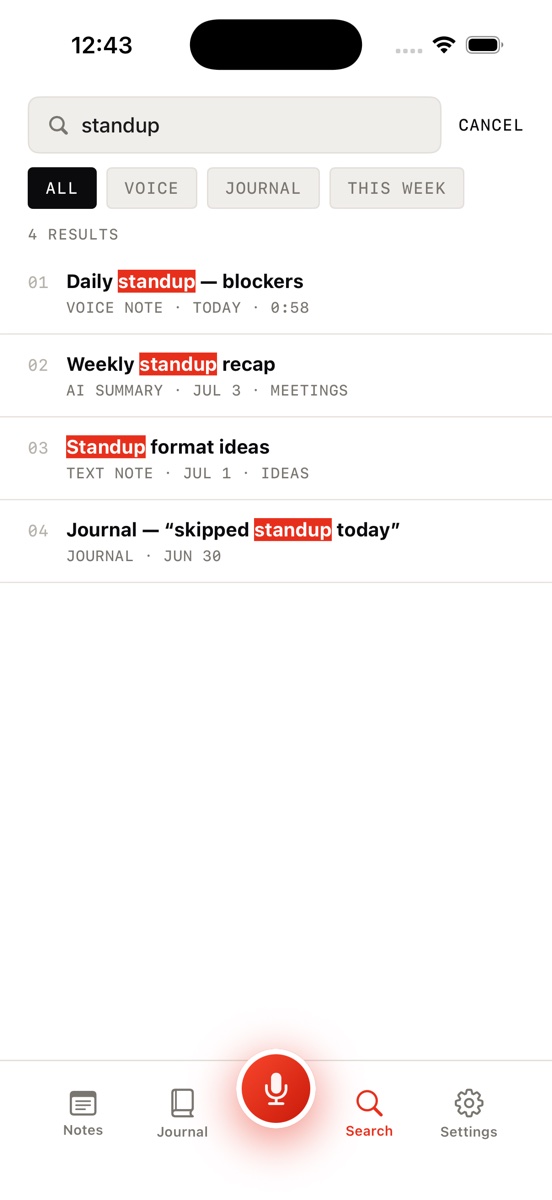
Every note is auto-tagged — Problem, Idea, Meeting, Lecture, Journal — and lands in your library with search across notes, transcripts, and journal entries.
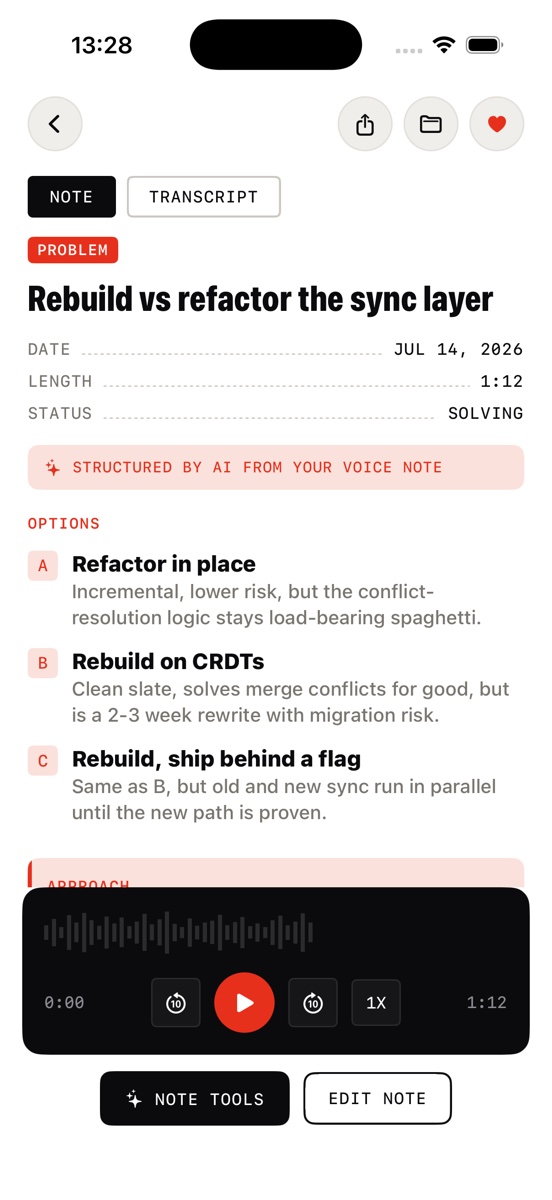
STATUSFILED
Jot AI problem doc structured by AI from a voice note — status, options, approach and next steps
Not just transcription

Think out loud. Get a plan back.

  • Problems become decision docs. Talk through what's stuck and Jot structures it: the problem, your options, an approach, next steps — with status tracking.
  • Ideas become briefs. A 40-second ramble turns into a titled, structured idea doc you can actually act on.
  • The audio stays attached. Replay any note at 1x, skip ±10s, and flip to the word-for-word transcript whenever you want the source.
  • Voice-to-text apps stop at clean text. Jot is built for what comes after — turning your thinking into something usable.
Inside the app

Every thought, accounted for

Capture, structure, journal, search — the whole system in five screens.
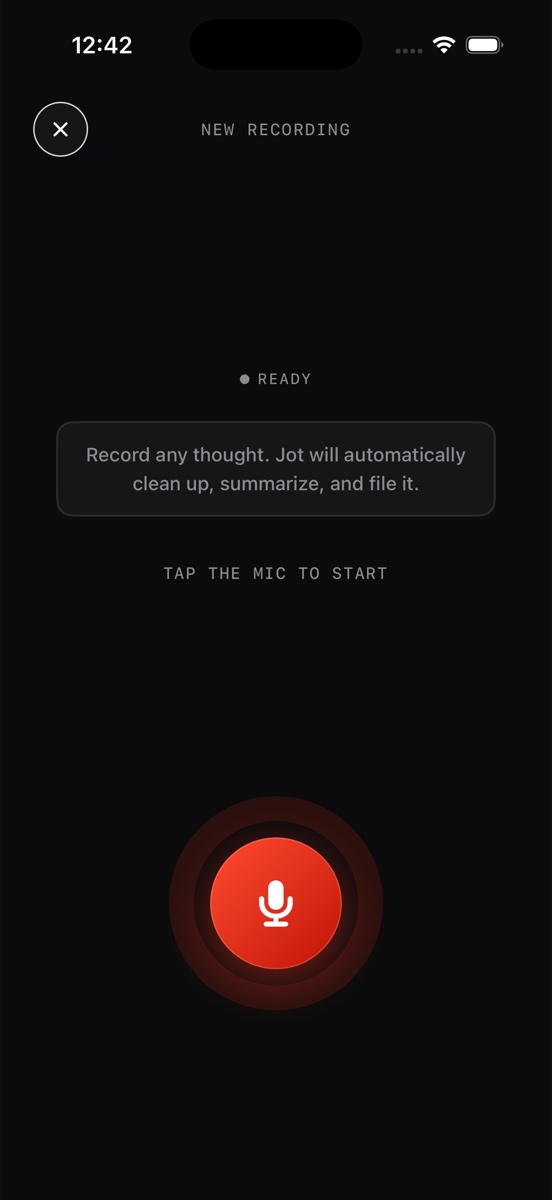
Jot AI recording screen — tap the red mic and record any thought for AI transcription
One-tap captureRecord any thought. Jot files it.
Jot AI notes library with AI summaries, tags for meetings, journal and lectures, and a capture streak
A library that sorts itselfTags, AI summaries, streaks
AI-structured problem document from a voice note in Jot AI with options and next steps
Structured by AIVoice note → decision doc
Jot AI note detail with Note and Transcript toggle and built-in audio player
Note ↔ transcriptClean note, raw words, audio
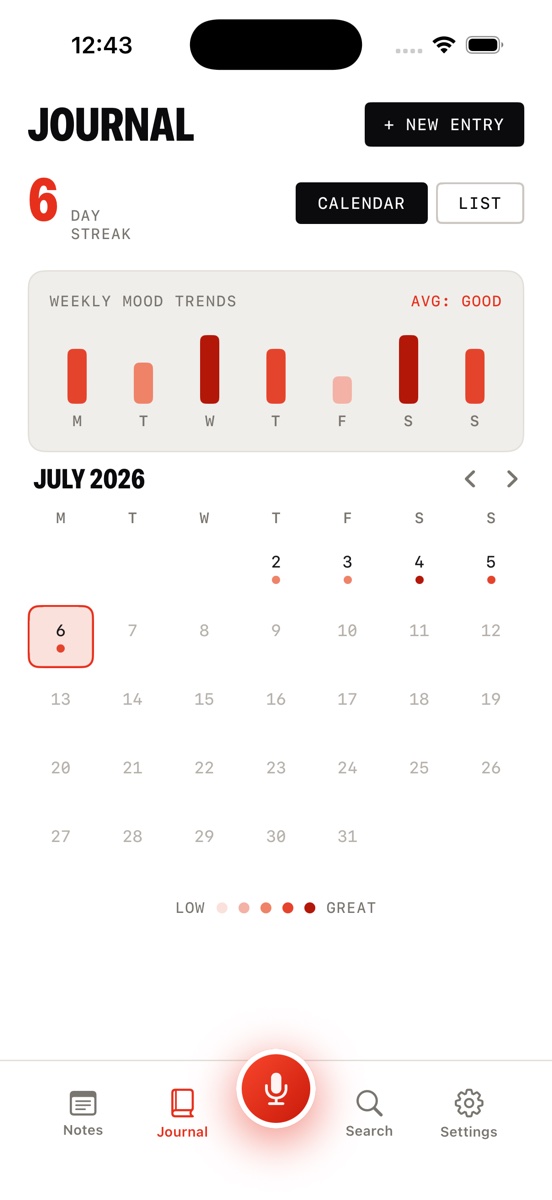
Voice journal in Jot AI with mood calendar, weekly mood trends and a 6-day streak
A journal you speakMoods, trends, streaks, calendar
Global search in Jot AI across voice notes, transcripts and journal entries
Find anythingSearch notes, transcripts, journal
Guides

Work out loud, on purpose

Practical guides on voice-first note taking, journaling, and thinking out loud — and where Jot AI fits in.

FAQ

Questions, answered

What is an AI voice notes app?
An AI voice notes app records what you say, transcribes it, and uses AI to rewrite the transcript into a clean, structured note. Jot AI also titles and summarizes each note, files it under Problems, Ideas, Meetings, Lectures, or Journal, and keeps the raw transcript one tap away. Learn more →
How do I turn voice notes into text?
Tap the red mic and talk. When you stop, Jot transcribes the recording and rewrites it into a readable note with a title and summary — no typing, no manual cleanup. Learn more →
What's the best way to do a brain dump?
Say it out loud instead of typing it. Tap record, ramble freely, and the AI turns the mess into an organized note — so you empty your head without worrying about structure or losing the thread. Learn more →
Can I keep a journal by talking?
Yes. Speak your day, tag a mood, and it becomes a dated entry. The calendar shows mood dots per day, weekly mood trends, and your streak — so the habit sticks. Learn more →
How do I organize my voice memos?
Let AI do it. Jot auto-categorizes every recording, adds tags, and makes everything searchable — including transcripts. Override any category and file notes into folders when you want control. Learn more →
How do I capture ideas before I forget them?
Cut capture friction to one tap. Jot's widget and big red mic start recording instantly — the idea is saved, transcribed, and filed before you'd have finished opening a notes app to type. Learn more →
Can AI turn my rambling into a plan?
Yes — that's Jot's specialty. Talk through a problem and Jot structures it into a decision doc: the problem, your options, an approach, and next steps. Learn more →
Is Jot AI free?
Jot AI is free to download and use for capturing and transcribing voice notes. Jot Pro — weekly or yearly with a free trial — unlocks the full experience. Cancel anytime. Get the app →

Your head, emptied.

Download Jot AI, tap the mic, and say what you're thinking. It'll be a clean, filed, searchable note before you finish your coffee.

Download on the App Store